Birthdays and name days in red.
Like holidays on a tear-off calendar. On the day, the person moves to the top of the list in the morning, and at 9:00 a reminder arrives with Call and Log buttons.
An iPhone and Android app that reminds you to keep in touch with the people close to you
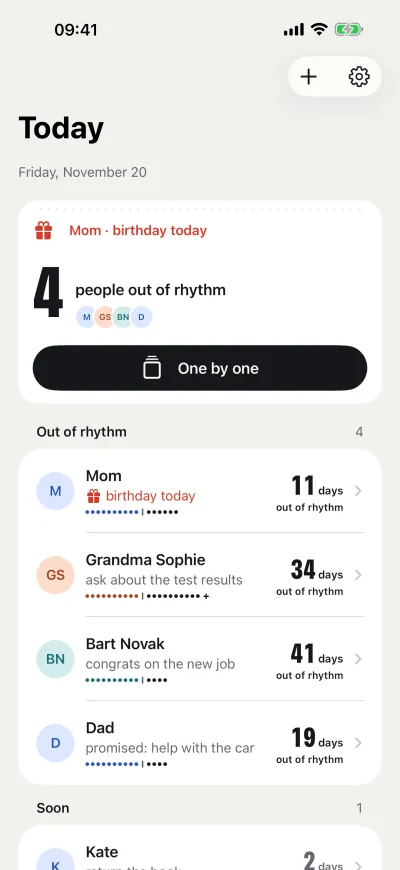
Dawno is a list of the people close to you, sorted by who has waited longest to hear from you. Each person has a rhythm. When it runs out, they move to the top of the list, and in the evening One by one shows them full screen.
Free for up to 8 people · no account · no ads · iPhone and Android
One by one · try it here
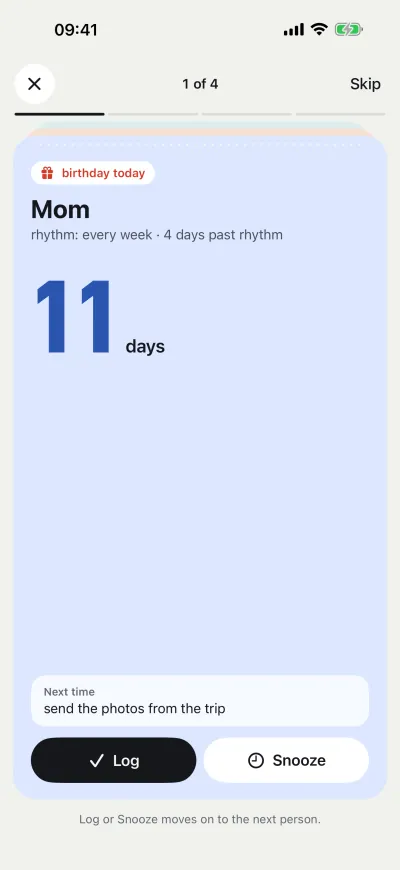
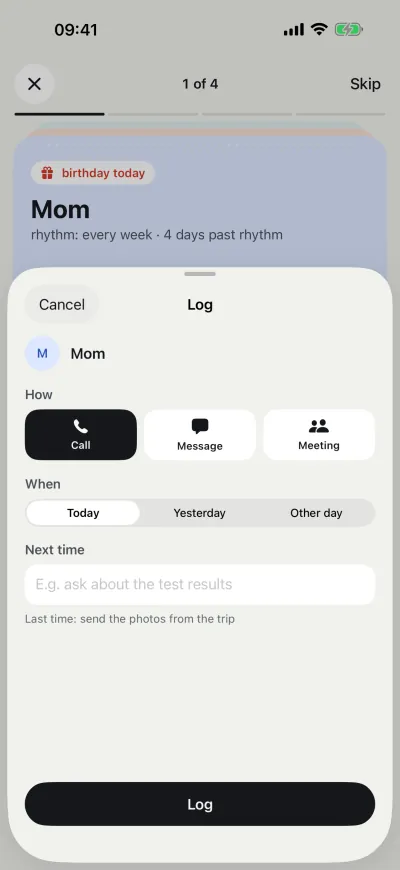
One by one shows the people out of rhythm one after another, starting with whoever has waited longest. A call, then Log: the sheet tears off at the perforation and the next person is waiting underneath.
A reminder at the time you choose opens this pass with one tap.
birthday today
Mom
rhythm: every week · 4 days past rhythm
11 days
Next timesend the photos from the trip
Grandma Sophie
rhythm: every week · 27 days past rhythm
34 days
Next timeask about the test results
Bart Novak
rhythm: every month · 11 days past rhythm
41 days
Next timecongrats on the new job
Dad
rhythm: every 2 weeks · 5 days past rhythm
19 days
Next timepromised: help with the car
That’s all for today.
Next: Kate, in 2 days
0 contacts logged
Rhythm
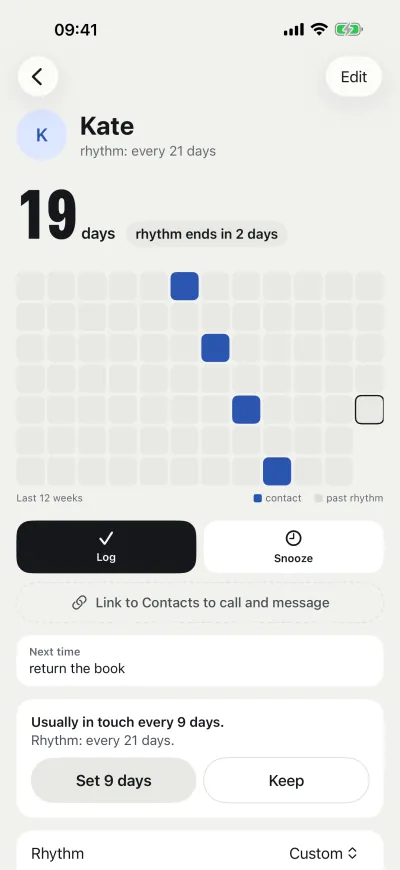
Rhythm is how often you want to be in touch: every week, every month, every 3 months or your own. Ten dots under the name are the whole rhythm. Past the line, black dots count the time past rhythm, so a grandmother you call every week ranks above a friend on a monthly rhythm.
Screens
Like holidays on a tear-off calendar. On the day, the person moves to the top of the list in the morning, and at 9:00 a reminder arrives with Call and Log buttons.
Only on days when someone is out of rhythm. One by one opens the pass, Snooze until tomorrow works without opening the app.
The number of days and a Log button, without opening the app. On iPhone, a Lock Screen widget too.
iPhone and Android
Both versions count rhythm by the same rules. The list moves between them in a CSV file.
iOS 18 or later
Android 8.0 or later
Dawno has no server, ads or analytics. There is no account to create and no email to give. On the App Store: “Data Not Collected”.
Numbers stay in your phone’s Contacts. The app reads a number only when you choose Call or Message.
New phone? Export and import the list as a CSV file, between iPhone and Android too.
Price
PLN 0
PLN 19.99 one-time
PLN 19.99 is the price in Poland. In other countries, the App Store and Google Play show the local price.
FAQ
Dawno shows who you have not called or messaged in a while. Each person has a rhythm, for example Mom every week, a friend every month. When the rhythm runs out, the person moves to the top of the list, and in the evening One by one shows them full screen.
Yes, for free. Birthdays and name days are red on the list, and at 9:00 a reminder arrives with Call and Log buttons. On the day, the person moves to the top of the list in the morning.
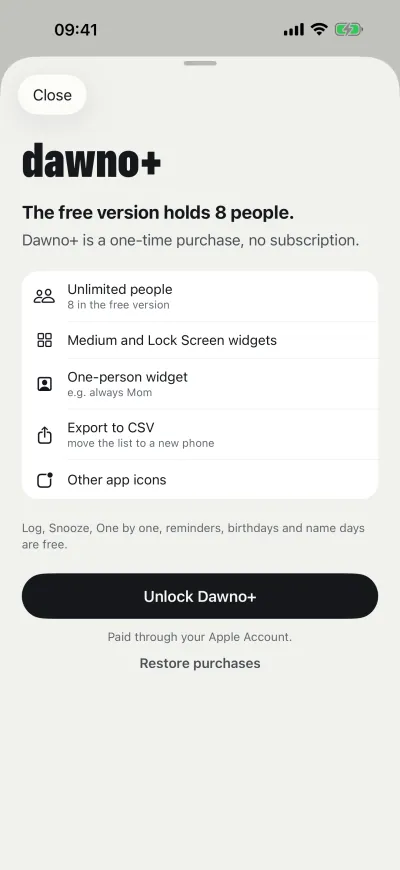
Yes, for up to 8 people, with One by one, the reminder, birthdays and name days. Dawno+ is a one-time purchase (PLN 19.99 in Poland, the local store price elsewhere): unlimited people, bigger widgets, other icons and export to CSV.
No. Dawno has no accounts, no sign-in and no server. You never give an email address.
Only on the phone. The app sends no data and has no ads or analytics. On Android, Google backup is turned off.
The number stays in your phone’s Contacts. Dawno reads it only when you choose Call or Message.
Rhythm is how often you want to be in touch with a person: every week, every month, every 3 months or your own. When the rhythm runs out, the person moves to the Out of rhythm group at the top of the list.
On the old phone: Settings, Export to CSV (in Dawno+). On the new one: Settings, Import from CSV, in the free version too. The file works between iPhone and Android.
No. You buy Dawno+ once. A purchase on the App Store does not carry over to Google Play or the other way round, because Dawno has no accounts.
iPhone with iOS 18 or later and phones with Android 8.0 or later.
More answers: Support.

Add three people and set their rhythm. The list shows right away where to start.
iPhone with iOS 18 or later · Android 8.0 or later